IO Interactive has officially released Patch 1.0.1 for 007 First Light across all platforms shortly after launch.
The update mainly focuses on stability improvements and fixes for several story-related crashes, NPC pathing problems and gameplay progression issues reported by players during the game’s first days after release.
Patch Details
Game Client Version: 1.0.1
Release Time: May 28th, 17:00 UTC / 19:00 CEST
Download Sizes
- PlayStation 5: 234.75 MB
- Steam: 294.6 MB
- Xbox Series: 513.27 MB
- Microsoft PC: 46.79 GB
- Epic Games Store: 332.30 MB
Fixes
Bond & Moneypenny Elevator Scene Crash
Fixed a crash which occurred during a cutscene featuring Bond & Moneypenny after the Opening Credits (Title Sequence), at the beginning of “In His Majesty’s Secret Service”.
Guards Skip Confrontational Dialogue
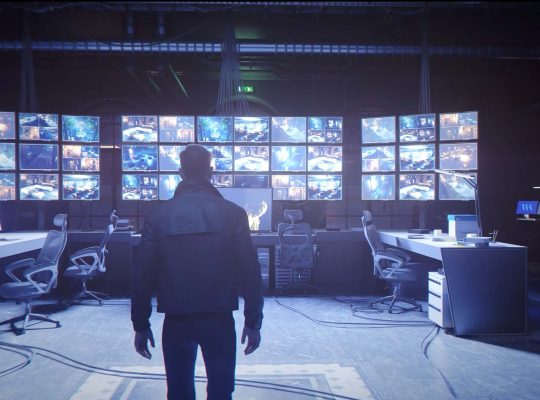
Fixed an issue in Chapter 06 “Uninvited”, where guards would immediately become hostile and skip confrontational dialogue after Bond leaves the CCTV room.
M’s Office Cutscene Crash
Fixed a crash which occurred after leaving M’s office in Chapter 02 “A Night Out”.
Greenway (and other NPCs) Pathing Issues
Fixed an issue where Bond standing in Greenway’s or other NPC’s way would lead to pathing issues making them disappear or go through walls.
Returning to London Crash
Fixed a crash which occurred during a cutscene after the completion of Chapter 05 “Beyond the Grave”.
EGS Deluxe Edition Items
Fixed an issue where the Deluxe Edition Items were not granted correctly on Epic Games Store.
Known Issues Still Under Investigation
At the same time, IO Interactive also published an official list of currently known issues affecting several platforms. Since many of the listed problems already include temporary workarounds, the issues below may still be useful for affected players while the team continues investigating (click to expand):
PC — Game Won’t Launch
PC — Game Won’t Launch
What’s happening:
When trying to launch the game, nothing happens.
Status:
Investigating
Workaround:
At this point, we don’t have an official workaround.
Additional notes:
While we are trying to locate the root cause for the game to behave like this, the community found some ways to get the game to run, as in this case. Please only follow these steps if you are comfortable making changes on your system. Otherwise, we recommend waiting until our team can identify and address the issue.
PC — HDR Turns Off After Exiting the Game
PC — HDR Turns Off After Exiting the Game
What’s happening:
HDR turns itself off every time the player exits the game.
Status:
Investigating
Workaround:
Re-enable HDR manually after restarting the game.
PC / PS5 — Cannot Shoot in the MI6 Shooting Range
PC / PS5 — Cannot Shoot in the MI6 Shooting Range
What’s happening:
Players cannot shoot in the shooting range at MI6.
Status:
Investigating
Workaround:
None at this time. Keep an eye out on our socials!
Xbox Series X — Controller Input Not Recognized on the Start Screen
Xbox Series X — Controller Input Not Recognized on the Start Screen
What’s happening:
The game does not progress past the start screen as controller input is not recognized.
Status:
Investigating
Workaround:
Hold the Xbox button, restart, but don’t close the game, then go back in with Quick Resume.
PS5 — Crash During the Opening Cinematic
PS5 — Crash During the Opening Cinematic
What’s happening:
The game crashes during the opening cinematic.
Status:
Investigating
Workaround:
(Unconfirmed) Play the opening sequence in offline mode and reactivate after progressing past the point, or change graphic settings.
Epic Games Store — Legacy / Collector’s Edition Content Not Granted (Missing Obsidian Gold Suit)
Epic Games Store — Legacy / Collector’s Edition Content Not Granted (Missing Obsidian Gold Suit)
What’s happening:
Players with the Legacy/Collector’s Edition may not see or receive their edition DLC (e.g., Obsidian Gold Suit) and may think a separate code is missing.
Status:
Investigating
Workaround:
Check your game’s DLC list on Epic Games Store to confirm the edition items are present. If they are not showing or not granted, please wait for our fix (no additional code should be required).
Additional notes:
We are aware of the issue and are working on it. We hope to resolve this as soon as possible, and will inform you once this is the case.
IO Interactive also encouraged players to report any additional issues not currently listed on the official Known Issues page directly to the Player Support Team.
Links to both the official Known Issues page and the bug report form can be found below.
Image credit: IO Interactive
Sources:
007FirstLight-Support.Zendesk.com – 007 First Light Known Issues
007FirstLight-Support.Zendesk.com – Submit Request Player Support Team